For gaming purists and nostalgia seekers alike, playing a retro game on a modern 4K TV often feels… off. The pixel art looks blocky, the colors don’t blend right, and the overall vibe just doesn’t match the memory of playing Super Mario Bros. or Street Fighter II back in the day. This isn’t just rose-tinted nostalgia; it is a technical reality.
While a high-end OLED or LCD display offers incredible contrast, it simply cannot replicate the unique physics of the technology old games were built for. Fortunately, whether you are a dedicated collector or just looking to relive your childhood, there are affordable and premium ways to get that authentic feel back.
Why Old Games Look Better on CRT TVs
To understand why modern screens fail to capture the magic, you have to look at the technology of the past. Retro games were designed specifically for cathode-ray tube (CRT) televisions.
- The Science of the Glow: CRT screens functioned by shooting electrons through vacuum tubes onto a phosphorescent screen. The images were created by controlling three separate beams representing red, green, and blue primary colors.
- The Art of the Scanline: When you look closely at a CRT, you see a collection of phosphor dots. Game developers understood this and used “scanlines” to their advantage. These scanlines helped blend individual pixels together—much like an oil painter blends colors on a canvas—creating a smooth, cohesive image rather than a jagged collection of blocks.
- The Modern Problem: Today’s LCD and OLED screens do not present scanlines natively. Furthermore, modern 4K panels display images at 3,840 x 2,160 pixels, requiring the original low-res image (often 256 x 240) to be upscaled by roughly 15 times. This massive upscaling results in the “piss-poor,” blocky visuals many gamers experience today.
The “Holy Grail”: Buying a CRT TV Today
If you want the absolute best, most authentic experience, the solution is simple but heavy: buy a CRT TV. However, for those who aren’t serious collectors, this path has hurdles.
- Rising Costs: As retro gaming has surged in popularity, prices for old tech have become “untenable”. For example, a compact Commodore 1702 monitor from 1984 can sell for over $200 on eBay, not including the expensive shipping for such a heavy item.
- What to Look For: If you are hunting for a TV, look for “NTSC” monitors, which denote the U.S. analog standard of the 20th century. These will accurately depict the scanlines of your childhood.
- Pro vs. Consumer: Professional-grade “PVM” monitors produce clearer images, but they might actually be too sharp compared to what the average console owner experienced in the 1980s. A classic Sony Trinitron is a great choice, though these can easily cost more than $300.
- Local is Better: To avoid exorbitant shipping fees, you are often better off scouring local thrift stores for a piece of TV history.
Modern Handhelds and Controllers: The Easier Path
If hauling a 50-pound TV into your living room isn’t appealing, there is a growing market of modern hardware designed to mimic the old-school feel without the bulk.
- FPGA Emulation: Devices like the Analogue Pocket use FPGA (field-programmable gate array) technology to play old cartridges without the glitches often associated with software emulation.
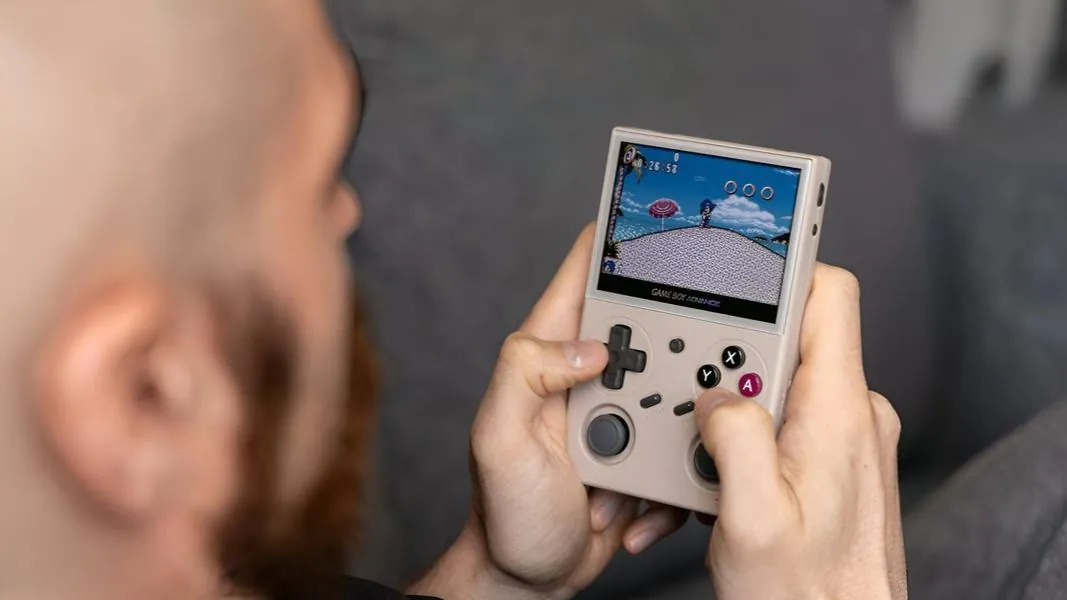
- Game Boy Reincarnated: For portable fans, the ModRetro Chromatic is currently considered the most fine-tuned Game Boy Color recreation, featuring a pixel-perfect screen. There are also budget-friendly options under $100, such as the TrimUI Brick and Anbernic RG34XXSP.
- Retro Controllers: You can also get that tactile feel on modern consoles. Options include 8BitDo’s mod kits for N64 controllers, Gulikit’s Sega Genesis-like Elves 2 Pro, and Nintendo’s own GameCube controllers for the Switch.
Bridging the Gap: Upscalers and Adapters
For those who want to connect original consoles to modern flat-screen TVs, you will likely need more than a simple cable.
- Upscalers: Devices like the RetroTINK-5X Pro are essential for taking old-school low-resolution signals and upscaling them cleanly to 1080p for modern displays.
- Aspect Ratio Matters: Remember that old games were built for square 4:3 screens, not the widescreen 16:9 ratio of today. Stretching the image ruins the experience. Very few retro re-releases, such as Super Mario Strikers on the Switch, support 16:9 natively.
- Modern to Old: Conversely, if you want to hook a modern system up to an old CRT, be prepared for a challenge. You will need HDMI-to-AV adapters and potentially a separate transcoder or downscaler to convert the high-res image down to something the old TV can handle.
While specific hardware like the upcoming Analogue 3D promises “CRT reference quality” on 4K screens, it has faced delays due to shipping issues. Until then, choosing between a heavy, authentic CRT and a sleek, modern FPGA handheld comes down to how much space you have—and how much you are willing to spend to chase that perfect scanline glow.